Open ByteDance's cloud platform, Volcano Engine:
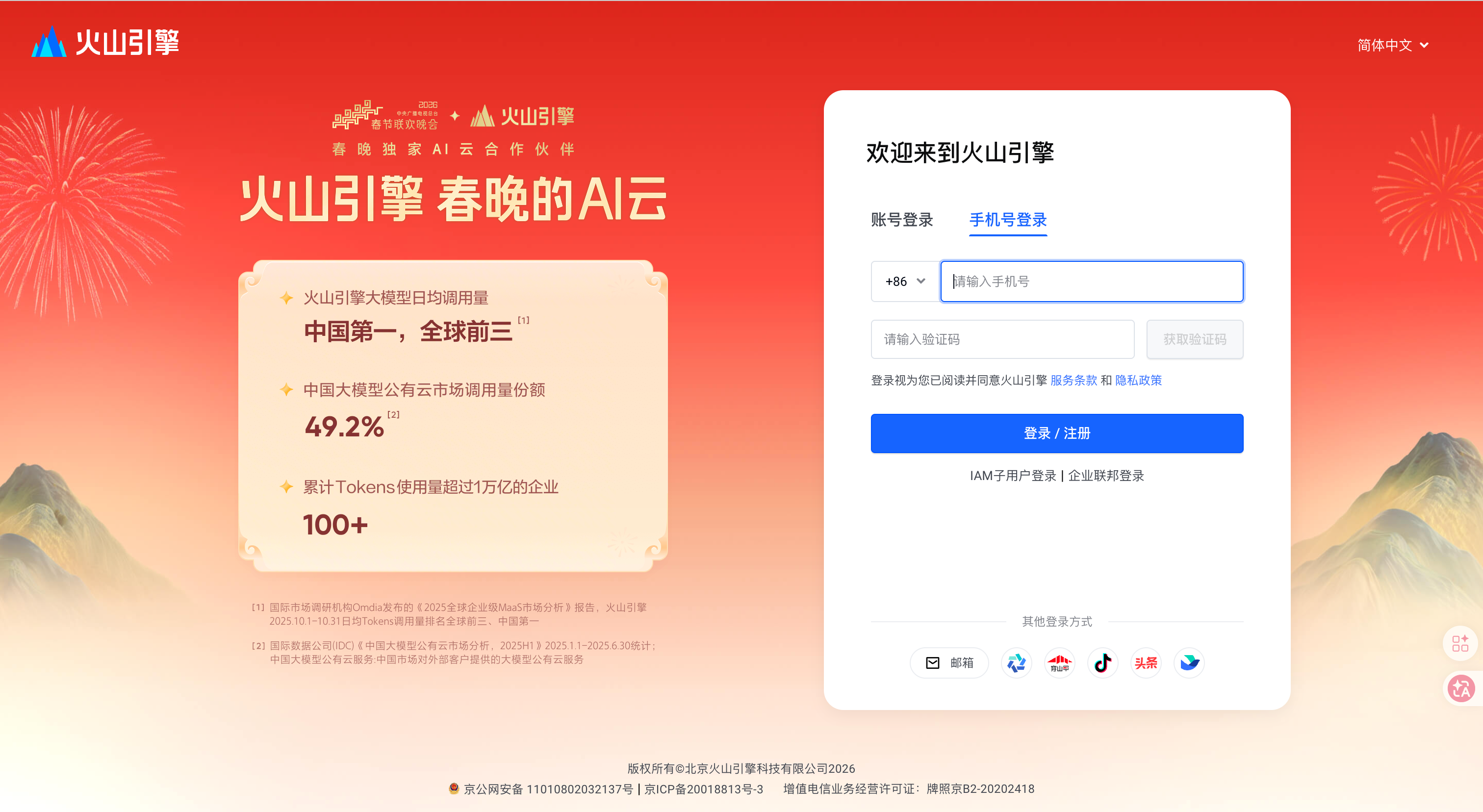
Register or sign in with a mobile number.
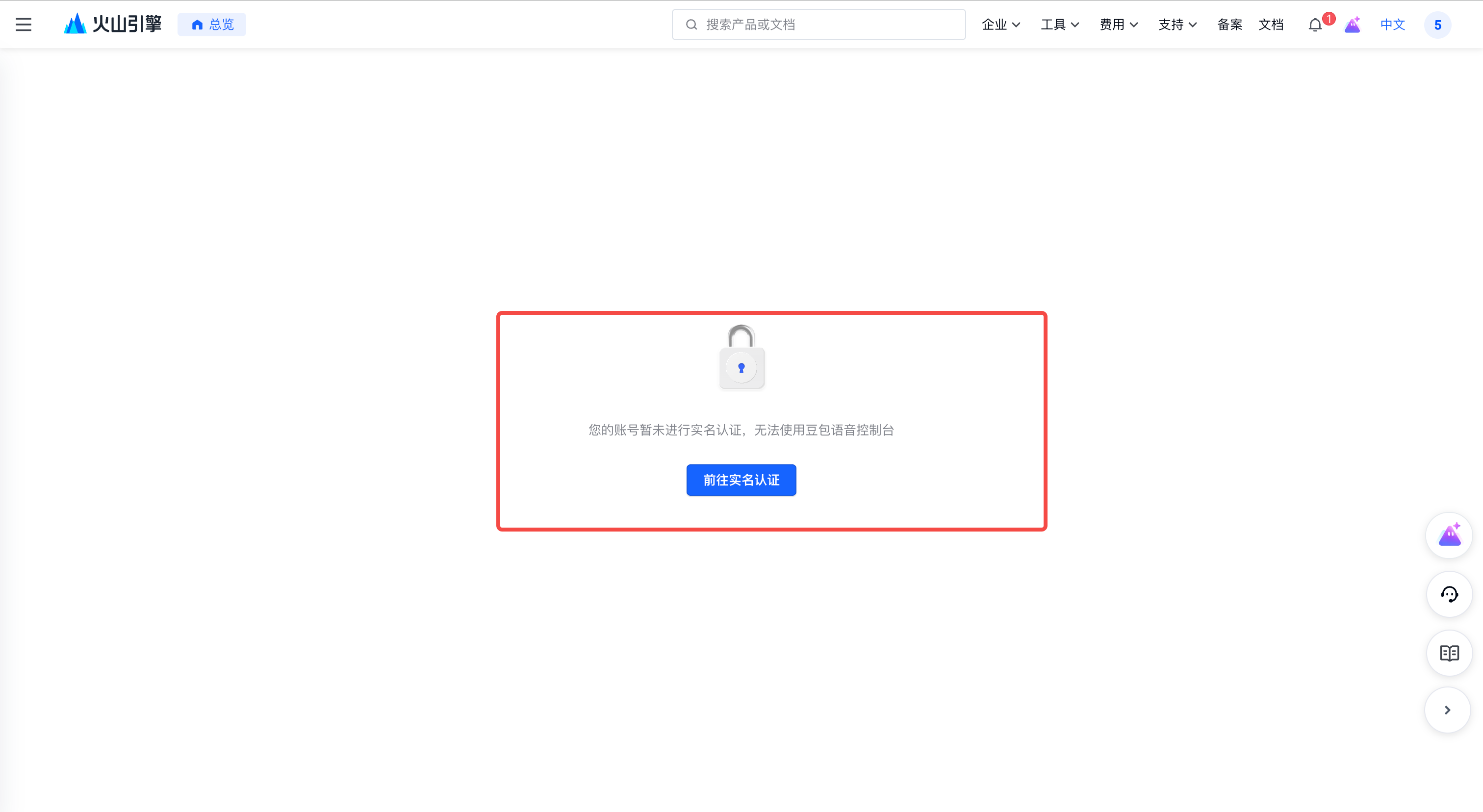
ByteDance API services require account verification. You only need to do this once.
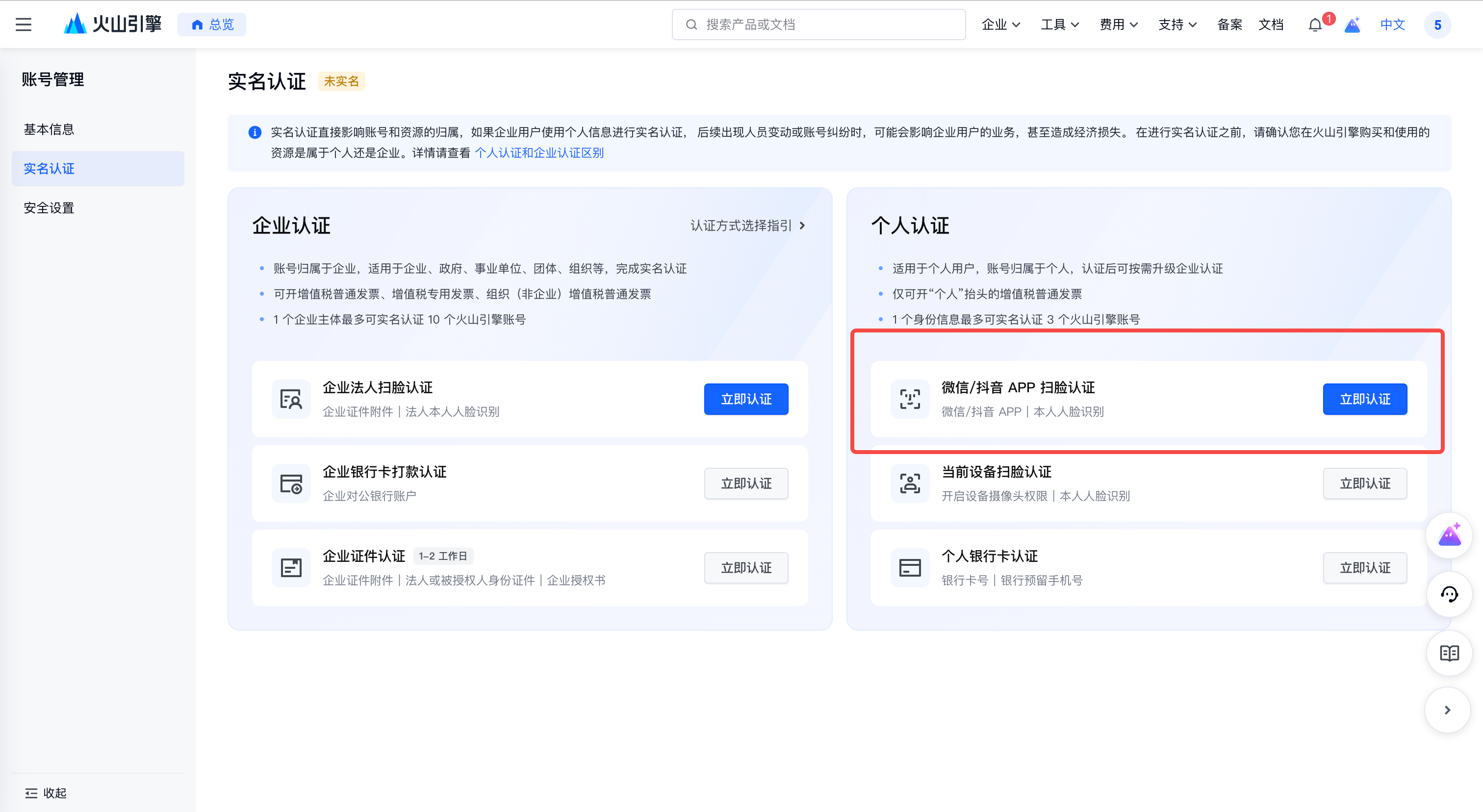
Click 前往实名认证 (go to real-name verification), then complete face verification via WeChat or Douyin.
After verification, open the Doubao Speech console:
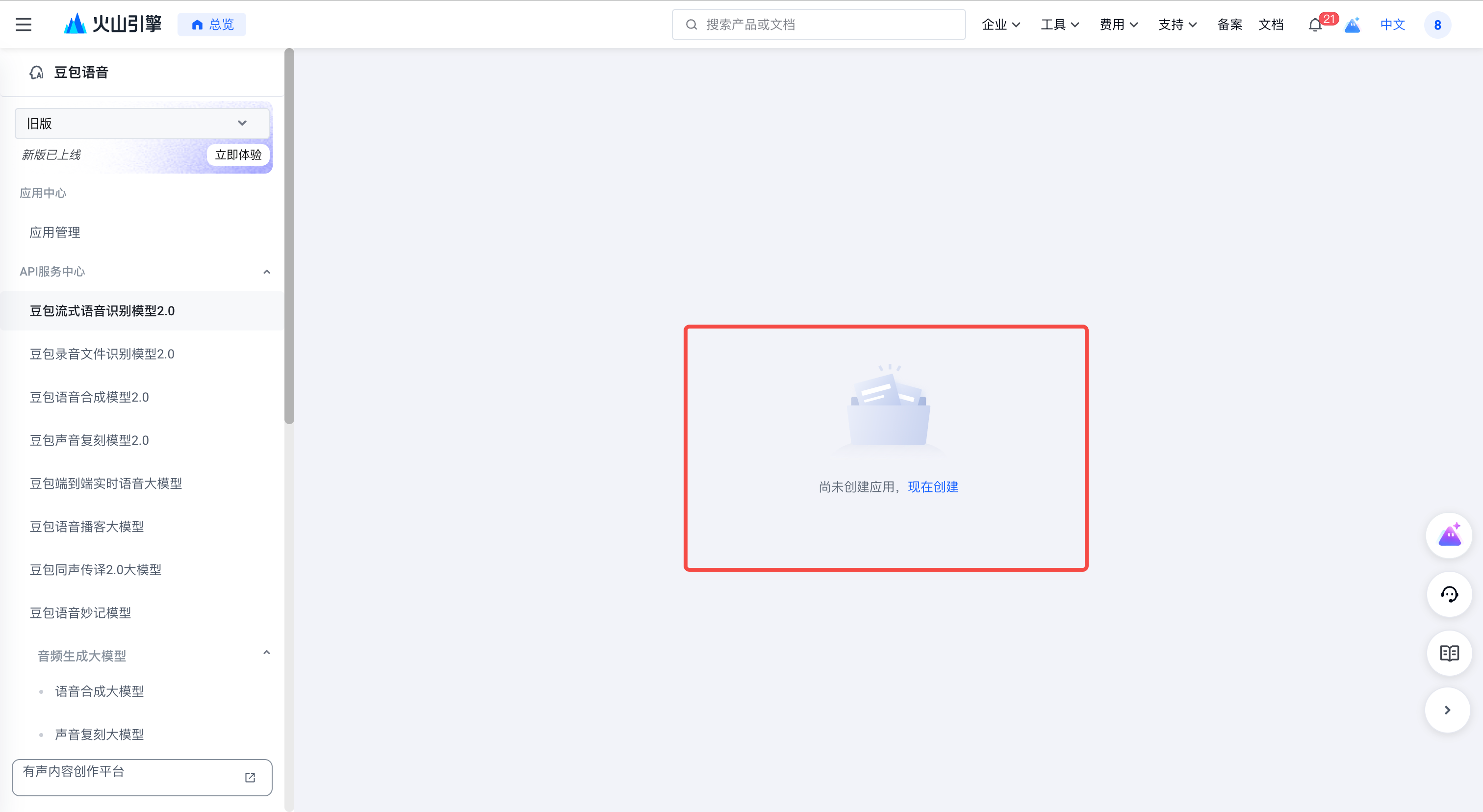
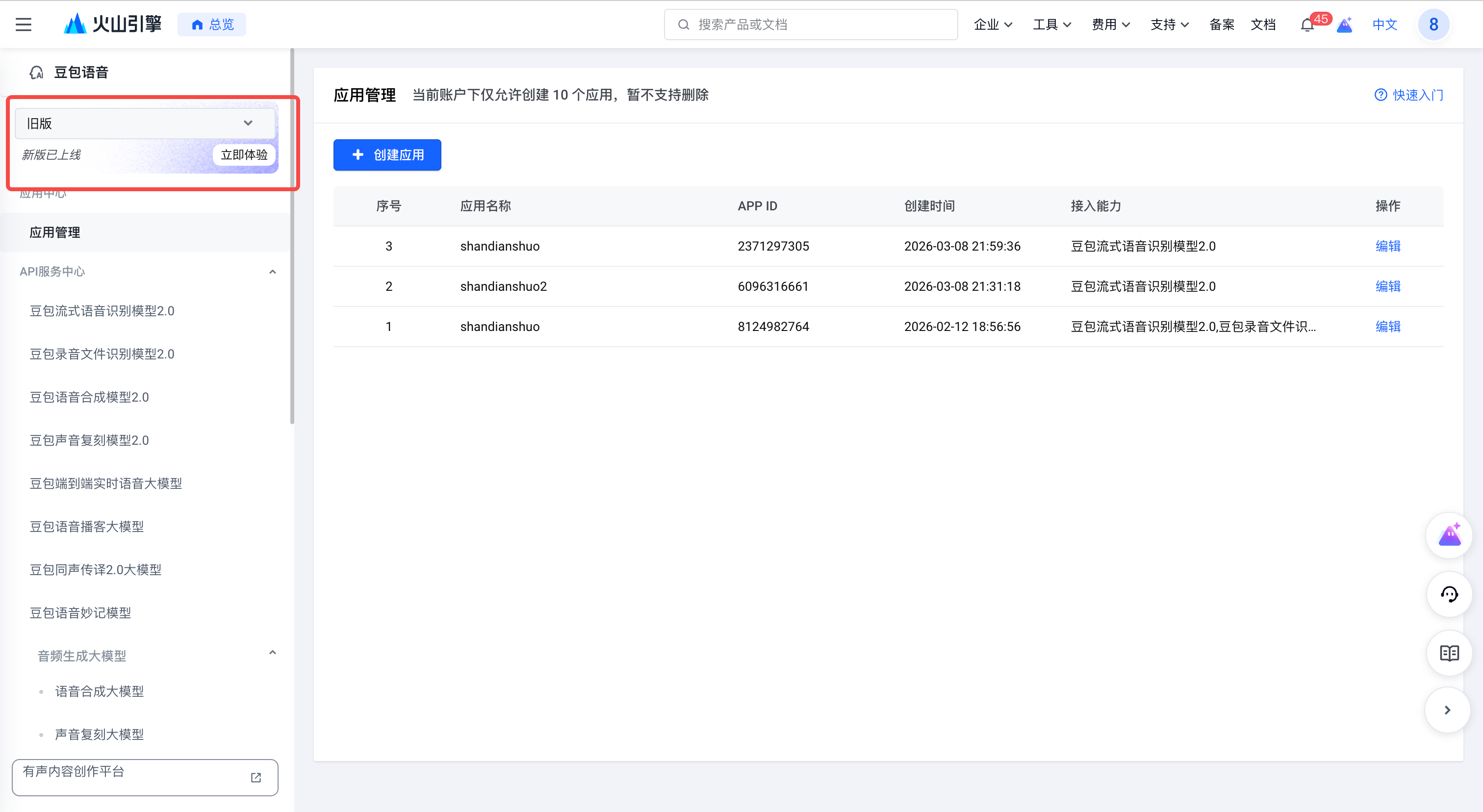
Click 创建应用 (Create app).
Use the following values in the app creation form:
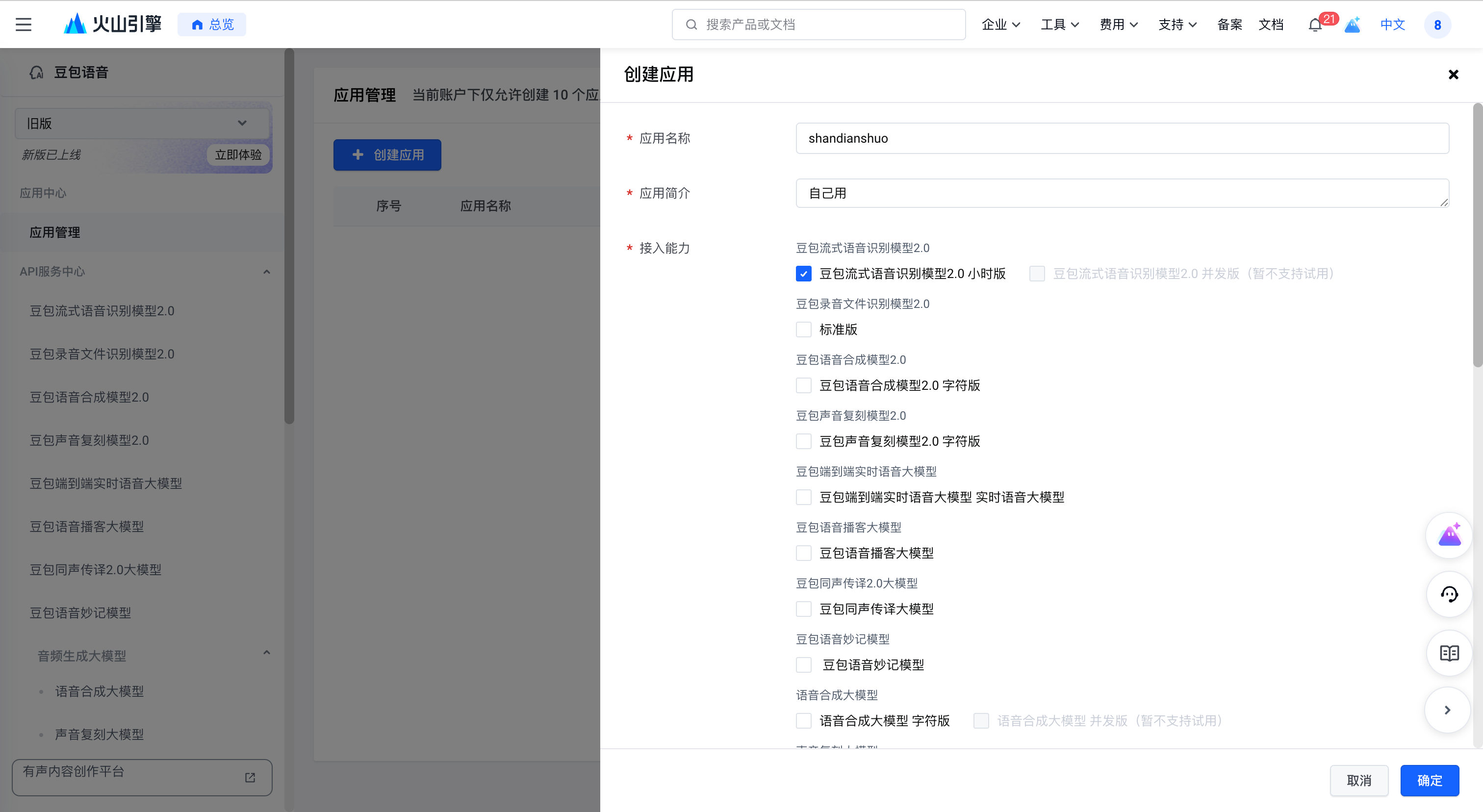
Click 确定 (Confirm) to create the app.
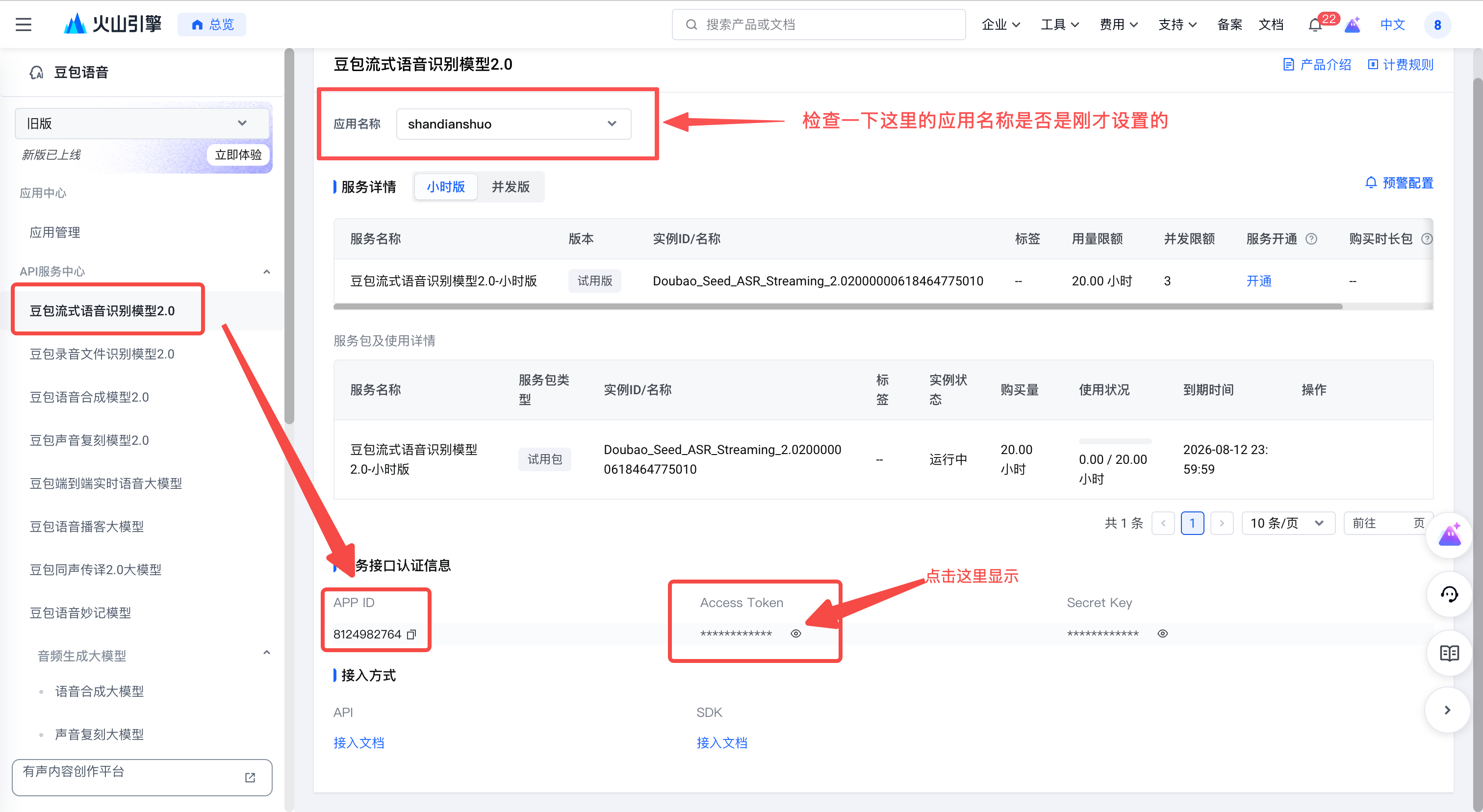
Close the create-app dialog. In the left menu, open API 服务中心 › 豆包流式语音识别模型 2.0, then scroll to the bottom to find App ID and Access Token. Click the eye icon to reveal the token.
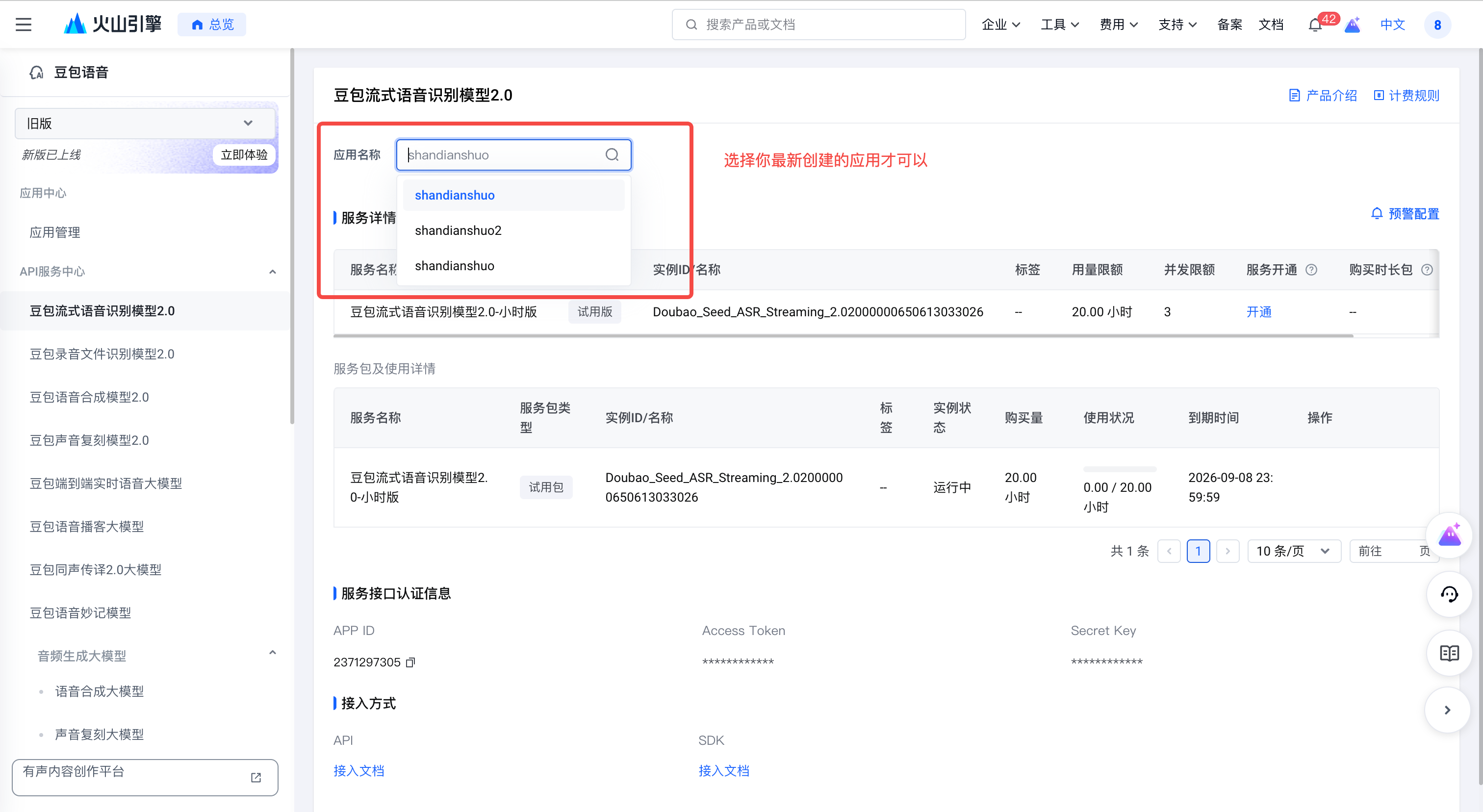
Accidentally clicked 「服务开通」? Expand for recovery steps
Open 应用管理 in the left menu and create a new app.
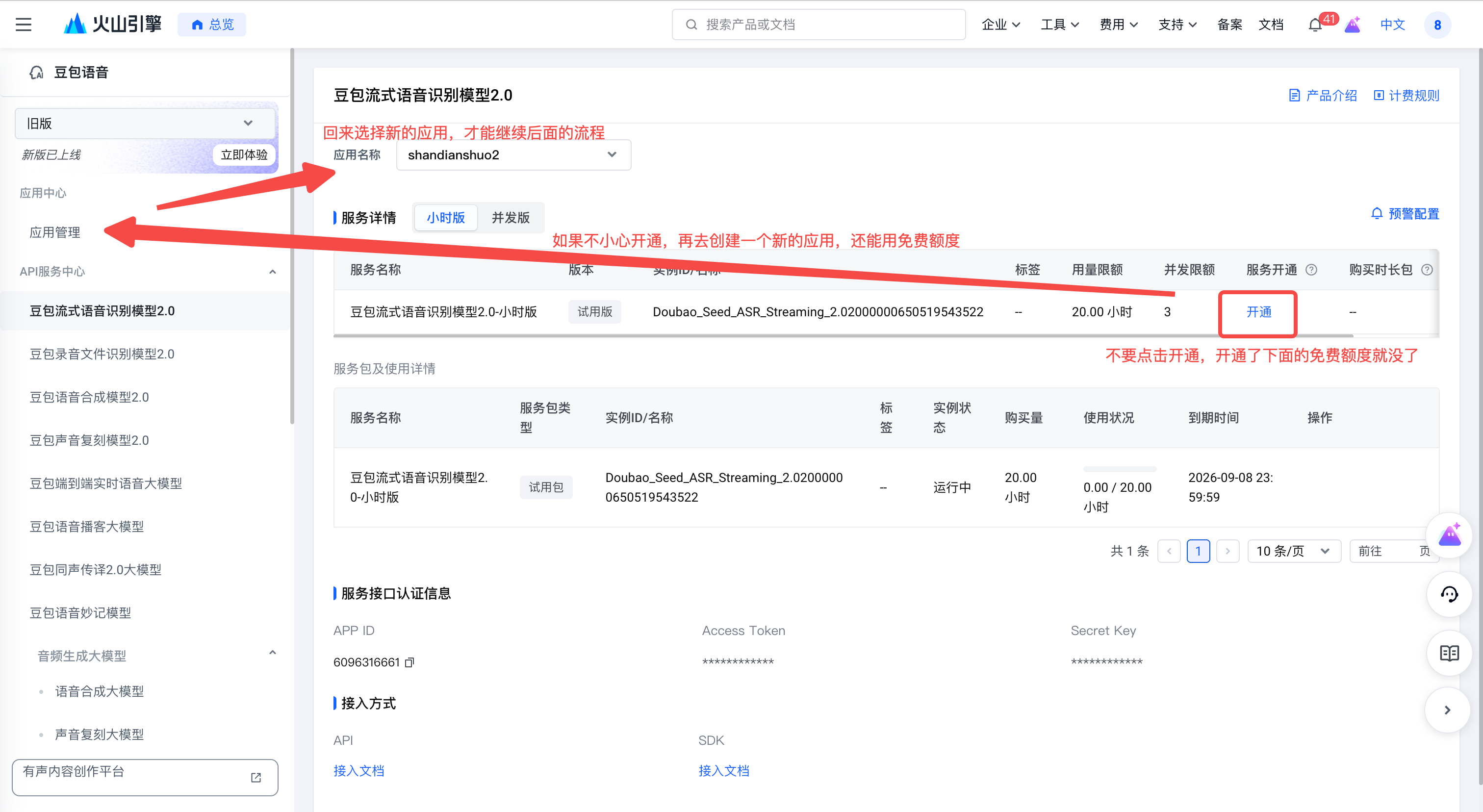
Return to this page and choose the new app in the 应用名称 dropdown. Confirm its service status shows 开通, which means it has not been paid-enabled yet.
Open VIP Settings and paste the two values into the matching fields:
Click Save, then VIP can use the Volcano Engine backend.